
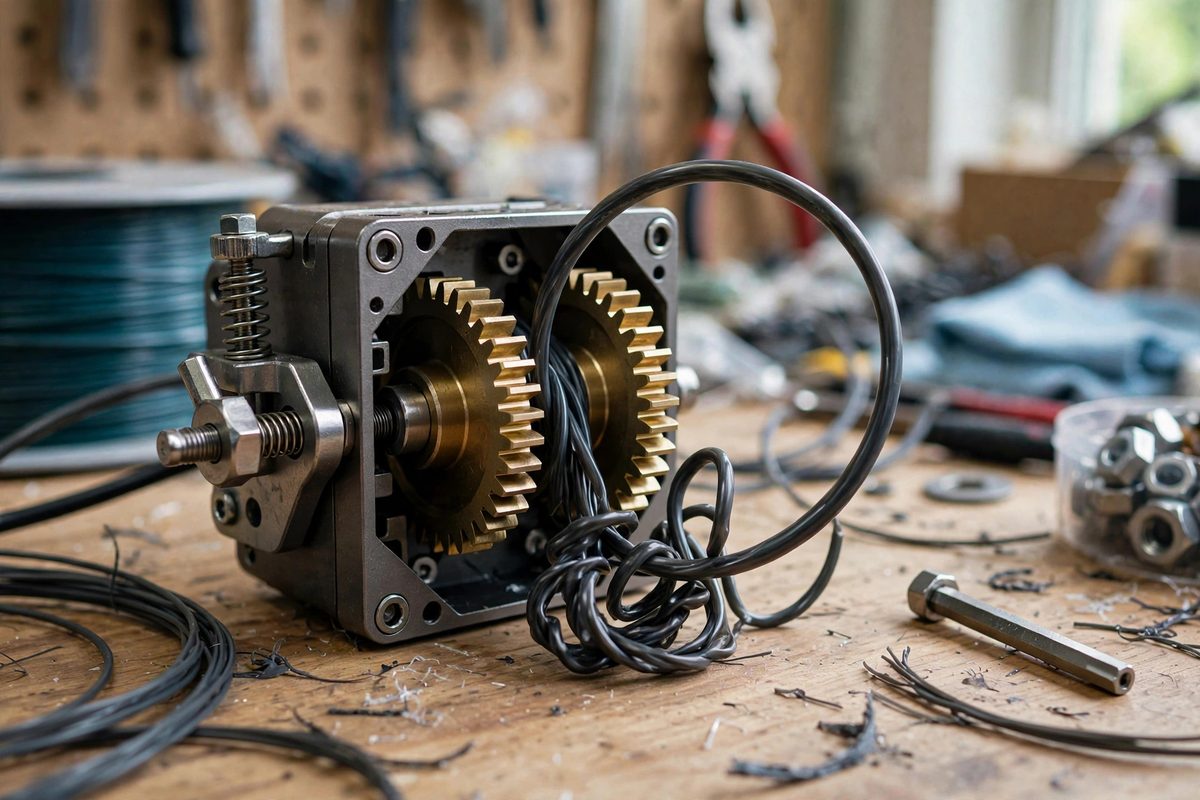
Flexible TPU filament is the 3D printing material that behaves like a wet noodle: it buckles, binds, and jams in extruders designed for rigid filament. Dual gear extruders, with two toothed gears gripping the filament from both sides, are the standard upgrade for printing flexibles, because the symmetric grip feeds the filament without the one-sided squish that causes buckling. But the gear tension, how hard the gears squeeze the filament, must be tuned precisely. Too loose and the gears slip; too tight and they deform the soft filament into the gap where it jams. The window is narrow and the tuning is everything.
Why TPU Needs Dual Gears
Single-gear extruders press the filament against a smooth idler, which works for rigid PLA or ABS but fails on TPU. The soft filament deforms under the asymmetric pressure, squishing to one side and finding the gap between the gear and the extruder body, where it buckles into a bird's nest. Dual gears grip symmetrically, keeping the filament centered and round, and the opposed teeth feed it positively instead of relying on friction against a smooth surface.
The constrained filament path matters as much as the gears. Even with dual gears, any gap between the gear exit and the hotend entrance is a place for TPU to buckle; the path should be tight and guided. But no path design compensates for wrong tension, which is why tuning comes first.
Finding the Tension Window
Start with the tension screw backed off, then tighten gradually while manually feeding filament through the extruder. You are looking for the point where the gears grip firmly enough to feed without slipping, but not so firmly that the filament visibly deforms. With TPU, the correct tension is lighter than your rigid-filament instincts suggest; the filament's softness means a little squeeze goes a long way.
The test is a slow manual extrusion: feed filament by hand through the heated hotend with the extruder motor disengaged, feeling for smooth, consistent resistance. Then engage the motor and command a slow extrusion, watching the filament at the gear entrance for any sideways squirm that signals the tension is deforming it. Adjust in small increments; the window between slipping and squishing can be a fraction of a turn.
Symptoms of Wrong Tension
Under-tension shows as under-extrusion and clicking: the gears slip on the filament, the flow stutters, and the print shows gaps and weak layers. You may see filament dust on the gears from the teeth grinding without gripping. Over-tension shows as jams and deformed filament: the filament emerges from the gears flattened or with deep tooth marks, and eventually it buckles into the extruder's gaps and stops feeding entirely.
- Mark the tension screw position once tuned; TPU tension is worth recording.
- Retune when changing filament brands or hardness; different TPUs want different tension.
- Clean the gear teeth periodically; packed filament dust reduces grip and mimics under-tension.
- Check tension at printing temperature; cold tuning does not reflect hot behavior.
Speed and Temperature as Partners
Tension tuning does not stand alone. TPU prints slowly, typically much slower than rigid filaments, because the soft filament needs gentle handling through the whole feed path. High print speeds demand higher extruder force, which pushes the tension toward the jamming end of the window; slowing down relaxes the force requirement and widens the workable tension range.
Hotend temperature matters too: TPU extruded too cold requires more force to push through the nozzle, stressing the extruder; too hot and it becomes even softer and more buckle-prone. Tune the temperature for smooth flow first, then set the tension for that temperature. The three variables, speed, temperature, tension, form a system; changing one moves the others' sweet spots.
Retraction and the Tuned Extruder
Once tension is tuned, set retraction conservatively. TPU does not retract cleanly like rigid filament; long or fast retractions pull the soft filament back into the extruder's gaps and cause the very jams the dual gears were installed to prevent. Short, slow retractions, or none at all on well-tuned setups, keep the filament moving forward through the constrained path.
Stringing, the usual reason for aggressive retraction, is better managed on TPU through temperature and speed than through retraction distance. Accept minor stringing as the material's nature; fighting it with retraction undoes the extruder tuning.
Lighten the tension until the filament stays round, verify with slow extrusion, print slow, keep retractions short, and record the setting. Dual gears make TPU printable; correct tension makes it reliable.
Related Guides
- CoreXY Belt Tension Tuning for Print Speed: On a CoreXY printer, the belts do more than move the print head. They are the motion system. Two belts working together position the toolhead on
- Tuning Input Shaper Frequencies via Accelerometer: Input shaping cancels the vibrations that cause ringing and ghosting on 3D prints, but it only works when the shaper is tuned to the printer's actual
- Stepper Motor Damping for CoreXY Resonance Drops: CoreXY printers are fast because both motors work together to move the toolhead, but that same coupled motion makes them resonance-prone: the long
- Input Shaping Accelerometer Mounting on Toolheads: Input shaping cancels the vibrations that cause ringing and ghosting in 3D prints, but it can only cancel what it can measure. The accelerometer that