
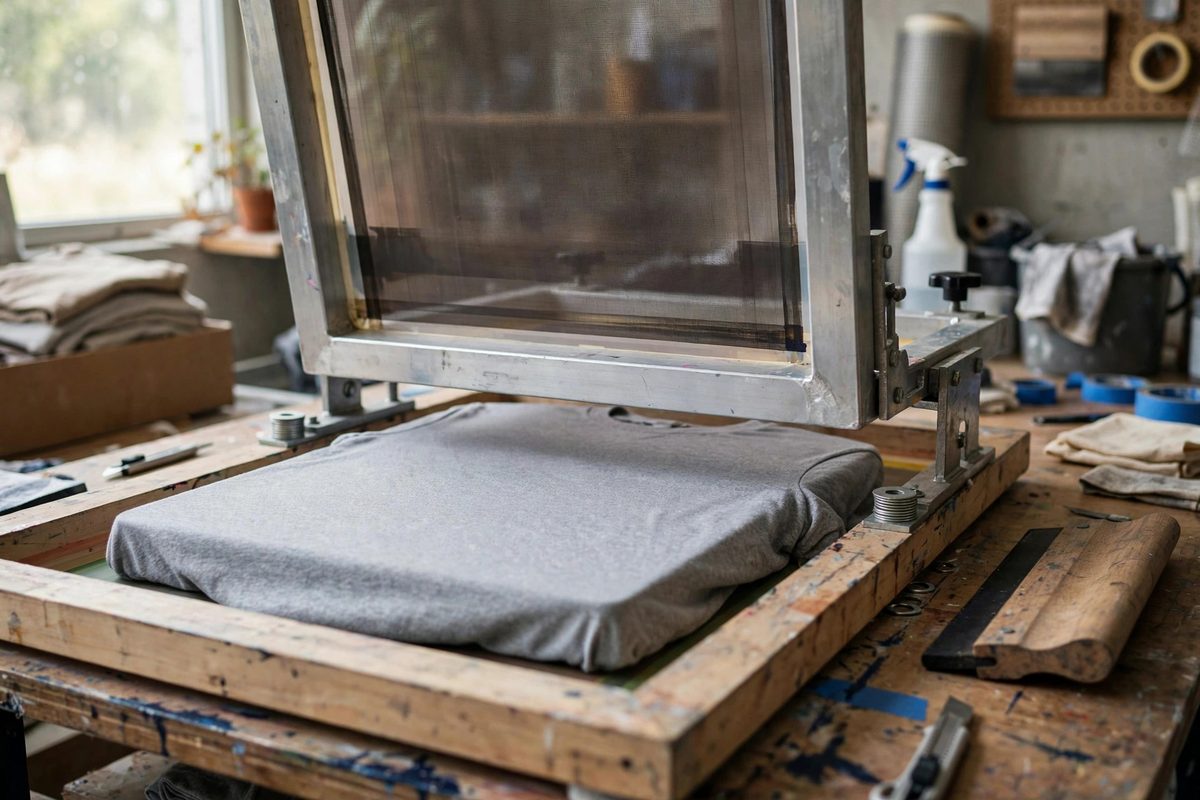
In screen printing on textiles, the screen should not lie flat on the garment; it should hover just above it. That gap, the off-contact distance, is what lets the mesh snap back cleanly after each squeegee pass, releasing the ink sharply instead of smearing it. Calibrating this small distance, usually a fraction of an inch, is one of the highest-leverage adjustments on the press.
Why Off-Contact Matters
When the squeegee pushes the mesh down onto the garment, the mesh stretches slightly and the ink shears through onto the fabric. As the squeegee passes, the mesh must peel away from the print immediately behind the squeegee; that peeling action is what defines the print's edge sharpness. With zero off-contact, the mesh stays in contact with the wet ink after the squeegee passes, and the print's edges go soft, the ink film goes heavy, and fine detail fills in. With too much off-contact, the squeegee has to stretch the mesh excessively to reach the garment, which distorts the image and accelerates mesh fatigue. The correct distance lets the mesh kiss the garment under the squeegee and release instantly behind it. Every clean textile print depends on this snap.
Setting the Distance
Off-contact is set by adjusting the screen frame's height above the pallet, using the press's off-contact knobs or shims. A common starting point is roughly the thickness of a few stacked coins, around a sixteenth to an eighth of an inch, adjusted for the mesh tension and the design's fineness. Higher-tension mesh needs less off-contact because it snaps back more eagerly; lower-tension mesh needs more. Fine detail and halftones want the lower end of the range for maximum sharpness, while bold simple graphics tolerate more. Set it with the screen clamped in the press and a garment on the pallet, measuring the gap at the center of the frame where deflection is greatest. Check all four corners too; a frame that is level at the center but tilted at a corner prints unevenly.
Calibrating by Test Prints
The proof is in the print. Pull a test print at your initial setting and examine it: sharp edges, clean fine lines, and even ink deposit mean the off-contact is right. Soft or fuzzy edges with heavy ink mean too little off-contact; increase it slightly. Image distortion, where the print looks stretched in the squeegee direction, or mesh that feels over-tensioned during the stroke, means too much; decrease it. Adjust in small increments and reprint, because the difference between right and wrong is small. Keep notes on the setting for each mesh count and design type; a shop standard for common jobs saves this calibration time on every setup. The test print is the instrument; trust it over rules of thumb.
Interaction With Squeegee and Ink
Off-contact does not work alone. Squeegee pressure must be enough to bring the mesh into contact without excessive force; too much pressure with correct off-contact still distorts the mesh and floods the print. Squeegee angle and speed affect how the mesh peels; a consistent, smooth stroke gives the snap action its best chance. Ink viscosity matters as well: thick inks need slightly more off-contact to release cleanly, while thin inks print fine with less. When troubleshooting a print problem, consider the system: off-contact, squeegee, and ink interact, and adjusting one may require touching up the others. Change one variable at a time and reprint, or you will never know what fixed it.
Maintaining the Setting
Off-contact drifts. Screens get re-tensioned, pallets get shimmed for different garments, and press adjustments get bumped. Check the off-contact at the start of each run and after any screen change; it takes seconds with a practiced eye and a feeler gauge. On multi-color jobs, verify it on every screen, since inconsistent off-contact between colors causes misregistration-like softness that is actually a release problem. Pallet height changes, such as switching from T-shirts to hoodies, alter the effective gap and demand recalibration. The printers who check off-contact habitually are the ones whose prints stay sharp all day.
Off-contact is the gap that makes the mesh snap: set it small, calibrate by test print, balance it with squeegee and ink, and recheck it whenever anything changes. A fraction of an inch, endlessly consequential.
Related Guides
- Emulsion Exposure Timing Under High-Output UV Units: High-output UV exposure units cure screen emulsion in a fraction of the time that old fluorescent or halogen setups needed, which is a blessing and a
- Mesh Tension Newton Ratings for Halftone Prints: Halftone screen printing, reproducing photographic tones as dots of ink, demands more from the screen than spot-color work does. The dots are small
- Plastisol Ink Cure Temperatures for Stretch Cotton Garments: Plastisol ink does not dry; it cures. The ink is a suspension of PVC particles in plasticizer, and it only becomes a durable print when the full