
Imposition is the quiet engineering behind every printed book, booklet, and multi-page document: the arrangement of pages on the press sheet so that, after printing, folding, and trimming, everything lands in the right order and orientation. In the digital era, imposition happens in software rather than with film and stripping tables, but the geometry is unchanged and the consequences of getting it wrong are just as absolute. A misimposed job prints beautifully and binds into nonsense. Understanding imposition logic helps anyone preparing digital assets for print production, from self-publishers to shop prepress operators.
What imposition accomplishes
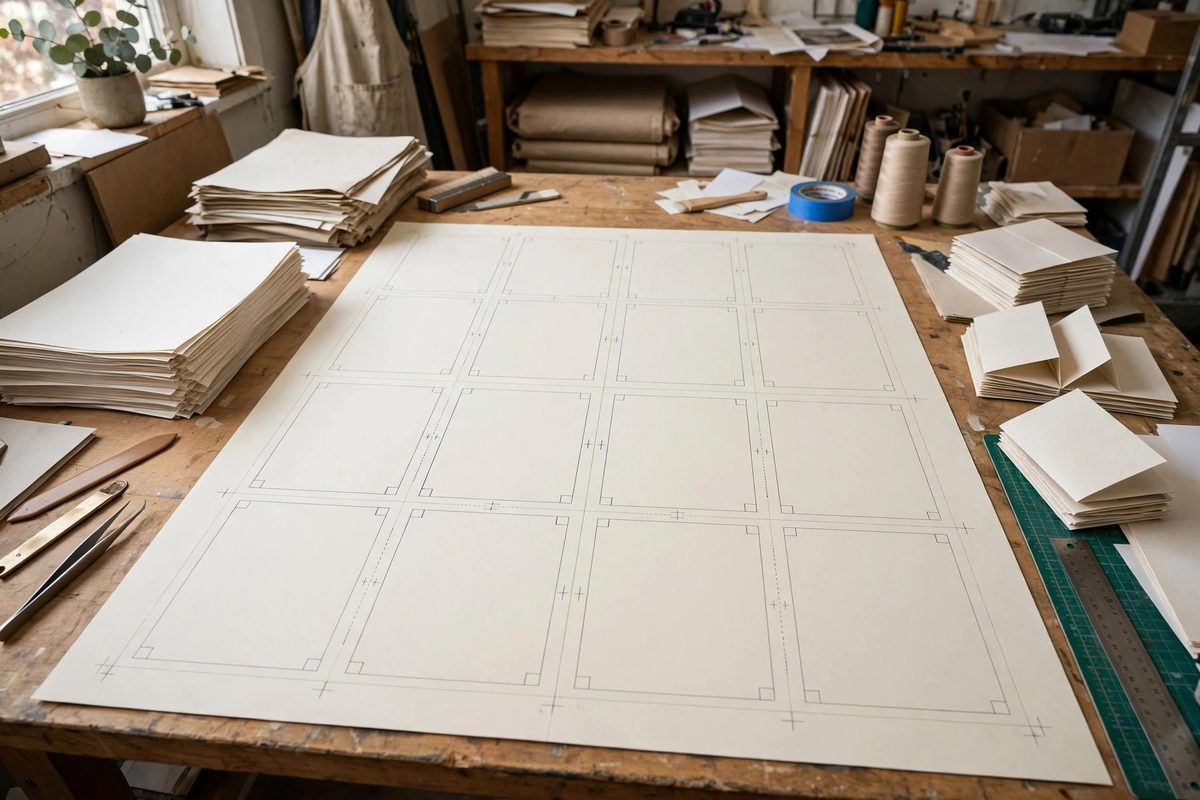
Presses print large sheets, not individual pages. A book printed on sheets that fold into sixteen-page signatures needs those sixteen pages arranged on the sheet in a specific, non-sequential order, with some pages rotated or inverted, so that folding brings them into sequence. Imposition software computes these layouts from the page count, the binding method, and the sheet size. Beyond page order, imposition handles the production realities: gripper margins where the press holds the sheet, color bars and registration marks for quality control, bleed where images run to the trimmed edge, and creep compensation for the thickness shift in folded signatures. Each of these is invisible in the finished book and essential to producing it.
Signatures and pagination math
The signature is imposition's fundamental unit: the group of pages printed on one sheet side and folded together. Common signatures are 8, 16, or 32 pages, and the total page count of a book should be a multiple of the signature size; shortfalls are filled with blank pages, strategically placed. The pagination math determines which pages share a sheet: in a sixteen-page signature, page 1 backs onto page 16, page 2 faces page 15, and so on, following the folding geometry. Different folds, half-fold, letter fold, gate fold, produce different impositions, and perfect binding versus saddle stitching changes the arrangement further. The imposition software knows these geometries, but the operator must specify them correctly; the software arranges exactly what it is told, including mistakes.
Preparing digital assets for imposition
The files fed to imposition must be production-ready: single pages in reading order, correctly sized with bleed, in the right color space, with fonts embedded and images at sufficient resolution. Imposition works on pages, not spreads; supplying reader spreads forces the operator to disassemble them, introducing error opportunities. Keep page numbering logical and continuous, since the imposition keys off page numbers. Provide a folded and trimmed dummy, even a rough one, showing the intended pagination; the dummy is the contract that lets the prepress operator verify the imposition against intention. Communicate the binding method explicitly, because saddle stitch, perfect bind, and wire-o each impose differently, and the wrong assumption ruins the job silently.
Creep, bleed, and gripper: the physical realities
Creep is the progressive shift of inner pages in a folded signature: the paper's thickness pushes inner pages outward, and without compensation their content migrates toward the trimmed edge. Imposition software shifts inner pages inward by calculated amounts, but it needs the paper thickness to calculate correctly; the wrong stock specification produces the wrong creep compensation. Bleed, the extension of edge content past the trim line, must be present in the source files; imposition cannot invent bleed that was not supplied. Gripper margins and side guides are press-specific no-print zones that the imposition must respect; pages placed over the gripper edge simply do not print. These physical constraints are why imposition remains a skilled task despite automation: the software computes, but the operator must feed it true parameters.
Proofing the imposition
Always proof the imposed layout before plating: the imposition proof, printed and folded into a dummy, is the last chance to catch errors. Check page order by reading the folded dummy start to finish, verify that spreads align across the fold, confirm that bleeds and creep look right, and check that marks and color bars sit outside the trim. This folded proof is non-negotiable for book work; on-screen imposition previews are useful but do not catch folding errors the way a physical dummy does. The few minutes and materials spent proofing are trivial against the cost of a misimposed print run, which is typically the entire job printed twice or not at all.
Digital and hybrid workflows
Digital presses and print-on-demand workflows automate much of imposition, but the logic still applies: the automation makes assumptions about binding and pagination that must be verified, and nonstandard projects still need manual imposition. Hybrid workflows, digital printing with offline binding, need the same imposition rigor as offset. Understanding imposition also pays off for the growing world of self-publishing: a self-publisher who supplies properly prepared single pages with a clear binding specification gets better results from any print provider. The geometry of folding has not changed in centuries; only the tools have, and the tools still need operators who understand the geometry.
Imposition arranges pages for the press sheet's folding geometry: signatures, pagination math, creep, bleed, and gripper margins all computed from true parameters and proven with a folded dummy. Supply clean single pages, specify the binding, and proof physically. The reader never sees the imposition, which is exactly how you know it worked.
Related Guides
- Pagination Imposition for Multi-Page Workshop Guides: A workshop guide that reads perfectly on screen can become a confusing mess when printed and bound, because print imposes a physical order on pages
- Typesetting Multi-Column Technical Handbooks for Print: A technical handbook has to be readable, referenceable, and dense with information, three demands that fight each other on the page. Multi-column
- Structuring Technical Maker Manuals for Print Delivery: A technical maker manual has to do something most books never attempt: teach hands-on skills through paper alone, in an order the reader can follow
- Kinesthetic Learning Feedback in Shop Tool Mastery: Reading about a hand plane teaches you what a hand plane is; pushing one teaches you what sharp feels like. Tool mastery in the shop is kinesthetic
- Metacognitive Scaffolding in Open Maker Spaces: An open maker space gives people tools, materials, and freedom. What it does not automatically give them is the ability to think about their own